One of the tasks I waste time on every day is checking what the weather will be like and then staring into my wardrobe trying to work out what to wear. So I decided to create an app to do both of these jobs for me!
The backend
To interact with the AI, I set up a simple Django app. I won’t go into the details too much here, as I did a step-by-step guide to setting up a Django + react app in the previous post. Instead, I’ll show the parts that are most relevant to this task.
Getting the forecast
- Getting the weather forecast. I used OpenWeatherMap’s free API to generate 3-hourly forecasts
def get_weather(lat, lon):
    complete_url = f"http://api.openweathermap.org/data/2.5/forecast?lat={lat}&lon={lon}&appid={OPENWEATHER_API_KEY}"
    response = requests.get(complete_url)
    forecast_data = response.json()
    return forecast_data
to run this function, you need the latitude and longitude of your location, which you can also work out for your city, using OpenWeatherMap’s API:
def get_lat_lon():
    country_code = "GB"
    city_name = "London"
    limit=3
    geocoding_url = f"http://api.openweathermap.org/geo/1.0/direct?q={city_name},{country_code}&limit={limit}&appid={OPENWEATHER_API_KEY}"
    geo_response = requests.get(geocoding_url)
    geo_data = geo_response.json()[0]
    return geo_data['lat'], geo_data['lon']
2. Based on these forecasts, we want to generate a human-friendly string describing the weather and the appropriate clothing choices for it:
HOT_OUTFIT_CHOICES =  ['tank top and shorts', 'summer dress', 't-shirt, skirt and sandals']
MILD_OUTFIT_CHOICES = ['jeans and t-shirt', 'dress and jacket', 'maxi skirt and light cardigan']
CHILLY_OUTFIT_CHOICES = ['jeans and sweater', 'leggings and sweater', 'sweater and skirt']
COLD_OUTFIT_CHOICES =  ['coat, hat, and gloves', 'winter jacket and boots']

def get_suggestion_str(temp, weather=None):
    rain_str = ""
    if weather:
        if "rain" in weather:
            rain_str =  "It's raining! Don't forget your umbrella and raincoat."
    if temp > 20:
        temp_str =  f"It's hot outside! Wear light clothing like: {', '.join(HOT_OUTFIT_CHOICES)}"
    elif 10 <= temp <= 20:
        temp_str = f"The weather is mild. Wear comfortable clothing like: {', '.join(MILD_OUTFIT_CHOICES)} "
    elif 5 <= temp < 10:
        temp_str = f"It's a bit chilly. Wear warm clothing like: {', '.join(CHILLY_OUTFIT_CHOICES)}"
    else:
        temp_str =  f"It's cold outside! Wrap up warm with clothing such as: {', '.join(COLD_OUTFIT_CHOICES)}"
    return f'{temp_str} {rain_str}'
Note that the inputs, weather and temp are both extracted from forecast_data that we saw earlier. You can change the outfit choices to suit your personal taste.
Generating outfit images
The next step is to generate prompts based off this weather data to feed to our image generation model, StableDiffusion. This is just a quick example prompt, but you could personalise it even more by changing/ removing the gender and adding more specific query terms.
def suggest_outfit_prompt(temp):
    if temp > 20:
        return f"woman in stylish outfit containing {' or '.join(HOT_OUTFIT_CHOICES)}"
    elif 10 <= temp <= 20:
        return f"woman in stylish outfit containing {' or '.join(MILD_OUTFIT_CHOICES)}"
    elif 5 <= temp < 10:
        return f"woman in stylish outfit containing {' or '.join(CHILLY_OUTFIT_CHOICES)}"
    else:
        return f"woman in stylish outfit containing {' or '.join(COLD_OUTFIT_CHOICES)}"
Now we want to load the model. I’m on a MacBook with MPS, but if you have cuda, you could also use that.
def load_gen_pipeline():
    model_id = "nota-ai/bk-sdm-small" #"CompVis/stable-diffusion-v1-4"
    pipe = StableDiffusionPipeline.from_pretrained(
        model_id,
        torch_dtype=torch.float16
    )
    pipe.to("mps")  # Use Apple's MPS backend
    pipe.vae = AutoencoderTiny.from_pretrained(
        "sayakpaul/taesd-diffusers",
        torch_dtype=torch.float16,
        use_safetensors=True,
    ).to("mps")
    return pipe
Then we can use this pipeline to generate images from our prompts like this:
def generate_fashion_images(all_temps):
    if not GENERATED_IMAGE_DIR.exists():
        GENERATED_IMAGE_DIR.mkdir()

    avg_temp = sum(all_temps)/len(all_temps)
    prompt = suggest_outfit_prompt(avg_temp)
    print(prompt)
    pipe = load_gen_pipeline()
    img_paths = generate_images(prompt, pipe)
    print(f"Generated some suggestions for {prompt}")
    return img_paths
Here I’m using a distilled version of Stable Diffusion, and a distilled version of the autoencoder, to reduce the amount of compute needed and speed up the results.
All that’s left is to create 2 Django views, one to get the forecasts, and one to generate images (this will require a list of forecast temperatures as input), then you can work on your frontend display and you’re done!
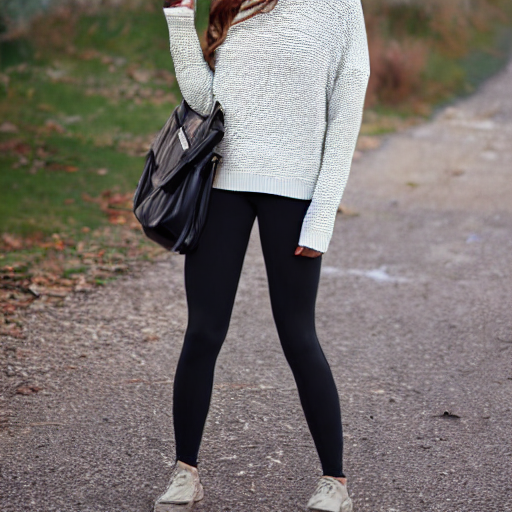
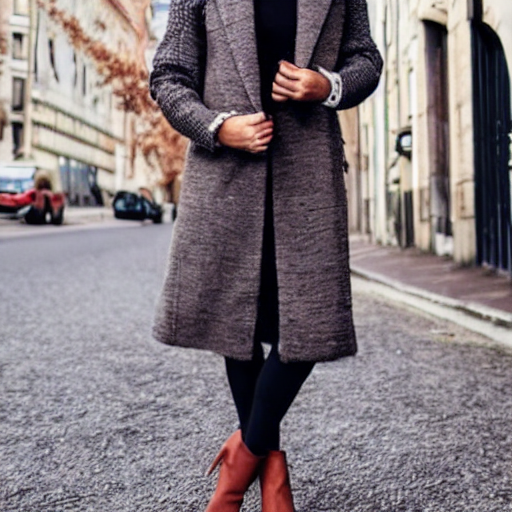
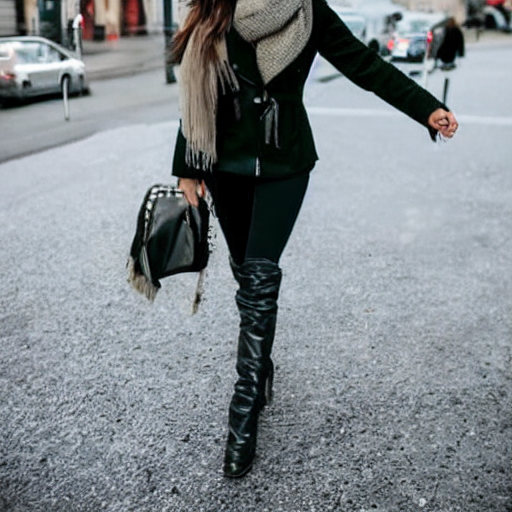
As you can see in the example shown above, the generated images aren’t very realistic! This is due to the distilled model and distilled autoencoder we used for this simple example. With more compute, we could use the original Stable Diffusion model and autoencoder, which generates much more realistic images like the ones below.
Leave a Reply